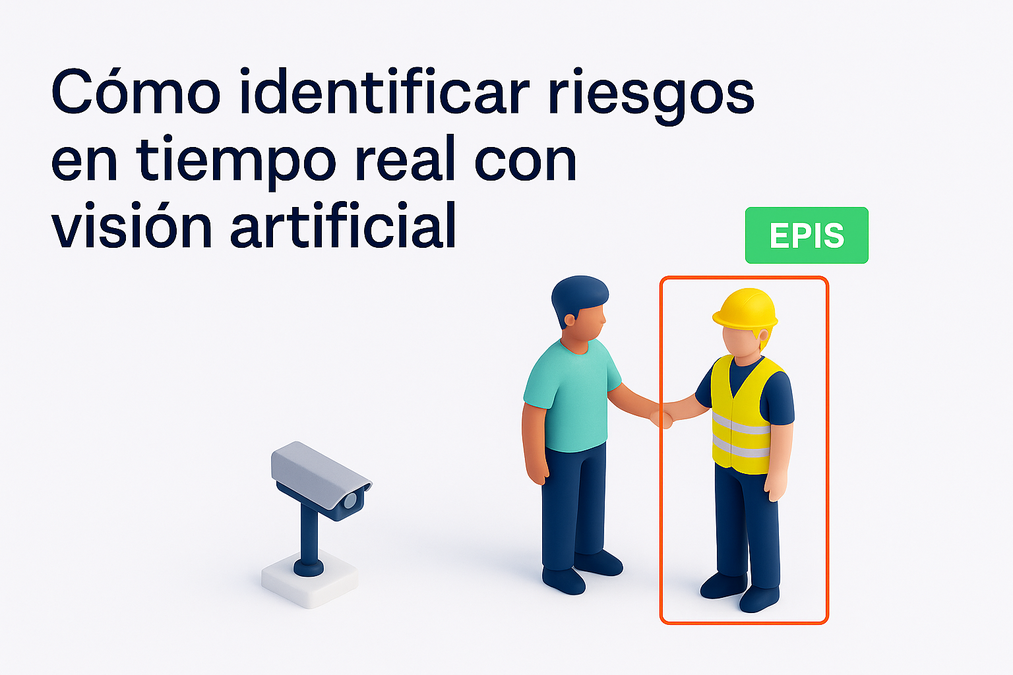
It is six o'clock in the morning in 1201. You wake up to start your shift as a watchman at the Venetian Arsenal, an institution so significant that it left some of theearliest records of controls and protocols for occupational safety.
That safety rests on your shoulders, in an environment fraught with risks:warehouses filled with gunpowder, primitive cranes, and carpenters working under pressure.
As you approach the gunpowder stores, you hear a metallic sound.Something isn't right.A worker, oblivious to the danger, is hammering nails into a board.A spark. A flash. Silence.
You wake up. It’s the summer of 2025.Grateful that so much has changed: access controls, preventive training, signage, personal protection... but the dream prompts us to ask, how can we keep improving? What does the future of prevention hold, and how can we be part of it?
Today we are talking about one of the most powerful and promising technologies in Occupational Health and Safety (OHS):artificial intelligence applied to computer vision. Because now,by connecting a camera and a computer, you can create a system that monitors your work environment 24/7 and detects safety violations in real-time, providing you with objective data that supports your preventive efforts.
You are no longer just monitoring:you demonstrate, communicate, and raise awareness.
Sounds good, doesn't it?Let's dive in.
Initial tests
One of the things I like most about all of this is thatyou don't need a sophisticated lab or a huge budgetto get started. Today we have access to free artificial intelligence models (yes,FREE!) available on the Internet.
A great example isMoondream, a well-known AI that allows you to ask natural language questions about what appears in an image. You can try it yourself: upload an image of a person wearing a helmet and ask if they are wearing their PPE correctly. You'll see how it responds in a reasoned and conversational way.
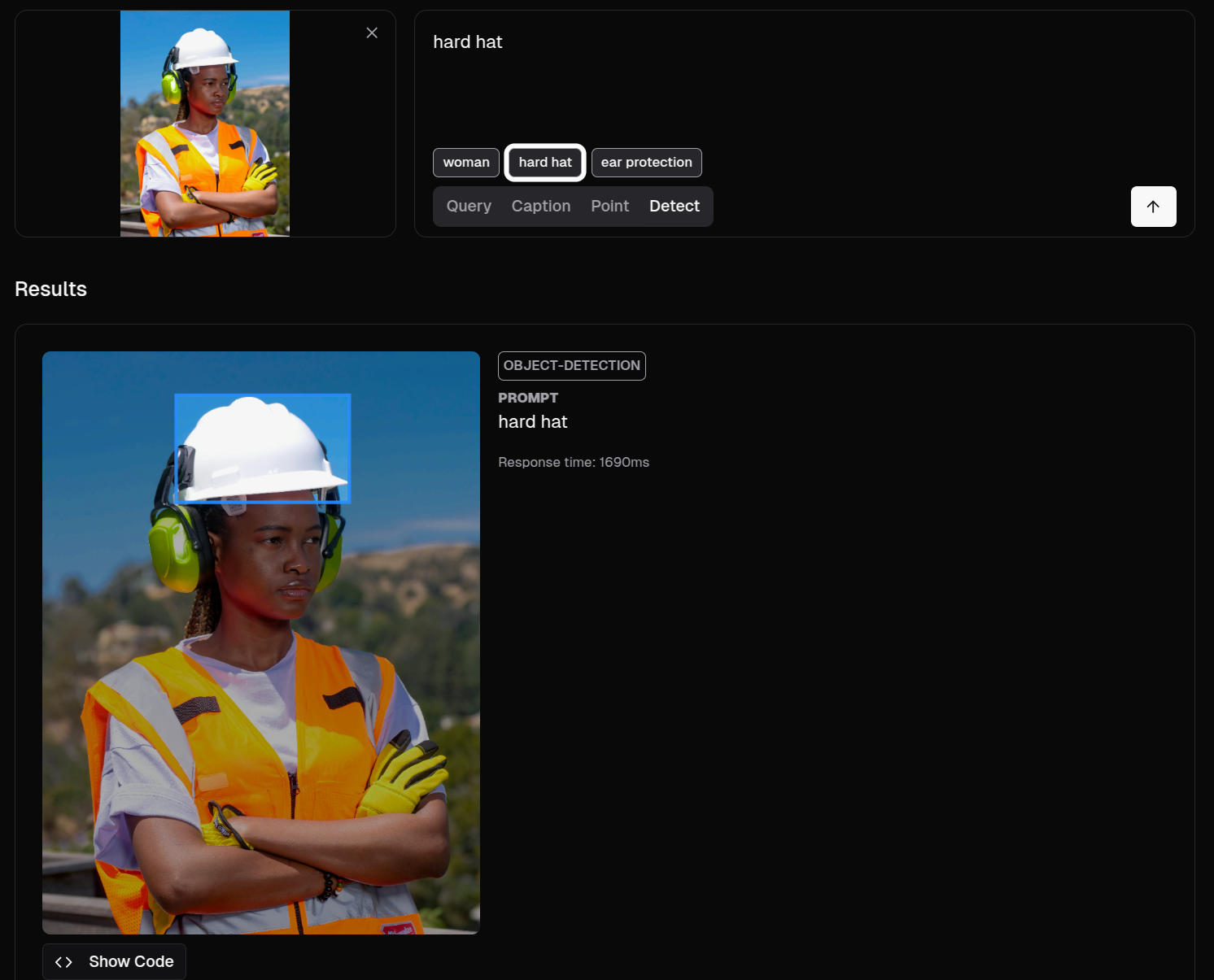
We upload the image, click the detect button, and ask it to look for a helmet. Excuse the use of English, but they tend to work better that way—a little pro-tip.
This is called object detection, and it's the foundation for the simplest rules in computer vision.
But if we want to go further, it's not enough to just knowwhat objects are present, but ratherwho is doing what with them. In other words, identifyingthe relationship between objects and people.We can try this right from Moondream:
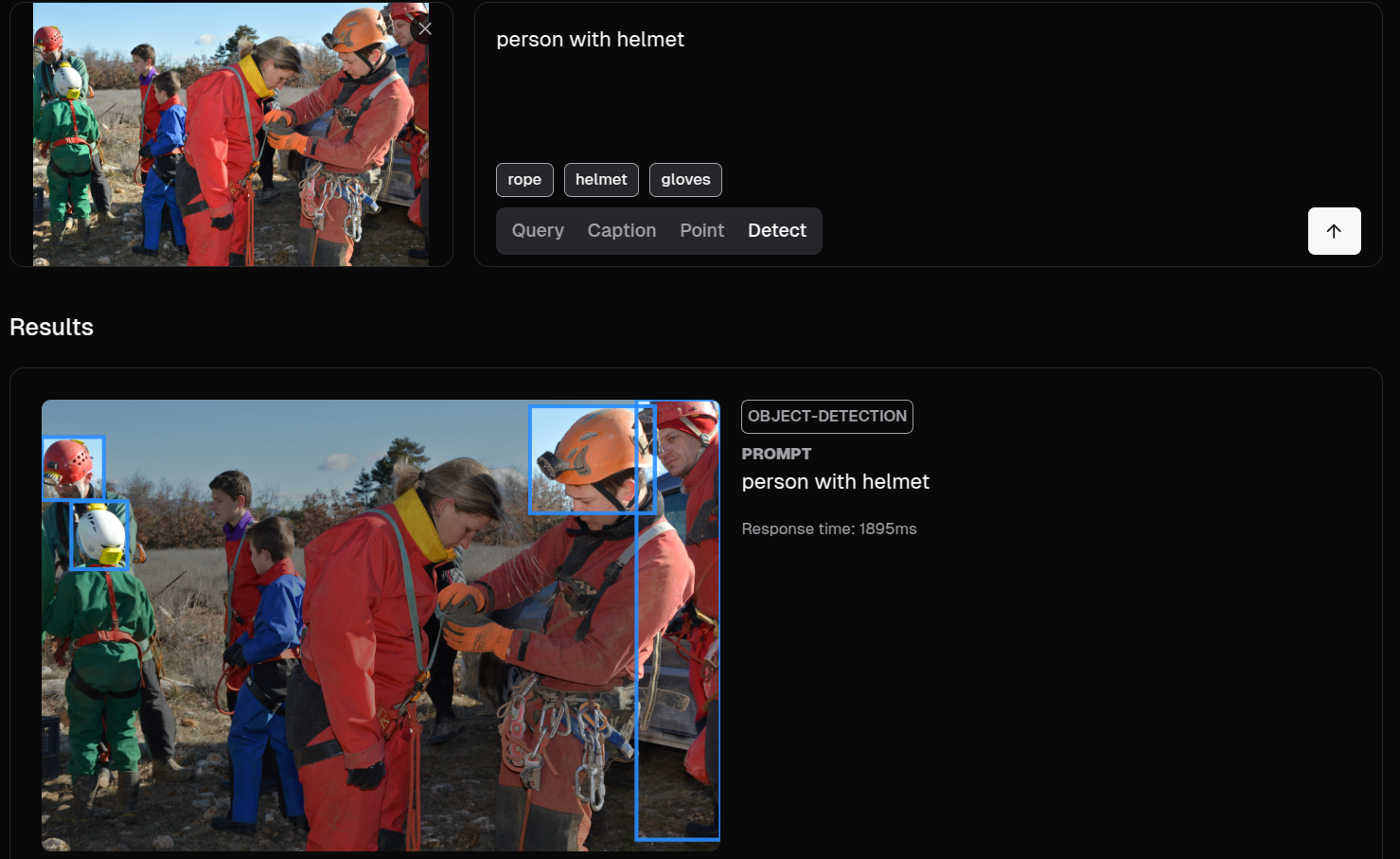
It's not too bad, although we wanted it to capture the entire person, and in almost all cases, it only selected the helmet.
The most common (and best) way is to use the detection coordinates returned by the AI model itself, which can be processed in a custom program: if a helmet is very close to a person's head, they are likely using it correctly; if a person is within coordinates marked as dangerous, an alert can be generated.
Looks promising, right? Well, this is just the beginning. By using detection techniques, we can succeed in many interesting applications. Here are a few:
Use cases
⚠Dangerous areas and restricted zones
Perhaps one of the most efficient and effective cases to start with. Person detection in these models is excellent: Should no one be in a certain area due to danger? Should there be at least 2 people in case someone faints? Simply mark the coordinates for safe/dangerous zones and check which detection falls inside.
👷♂PPE Detection (Personal Protective Equipment)
We already saw this in the opening example, but we can keep adding endless equipment: goggles, vests, lab coats, high boots... As explained, we detect people and objects, grouping them by distance and overlap. If, after grouping, a person is left without a safety item because it's too far away, we've identified the violator.
🛠Unsafe conditions (environment)
For example, the presence of obstacles, distances to machinery that are too short, lack of collective protections, or LOTOs. In the first case, Moondream performs very well, as it recognizes a large number of objects without needing any training—something that likely also works for collective protections.
🔥Dynamic risks
Here we see cases like the presence of fire, smoke, and one I particularly like: the speed of forklifts. Honestly, those forklifts can be fast as a bullet, and in the wrong hands, they're like giant pitchforks. For the first case, we'll let you try testing with the tools we've seen, while speed measurement is more complex: it requires calculating the object's position at every moment, measuring its progress, and dividing it by time to get its speed. These methods are typically related to techniques known as tracking. In the image, you can see objects leaving a red trail—this is their tracking trail at each position their center has occupied. From this, we calculate their speed, and if it exceeds a certain threshold—Alarm!
🧍♂Human postures and actions
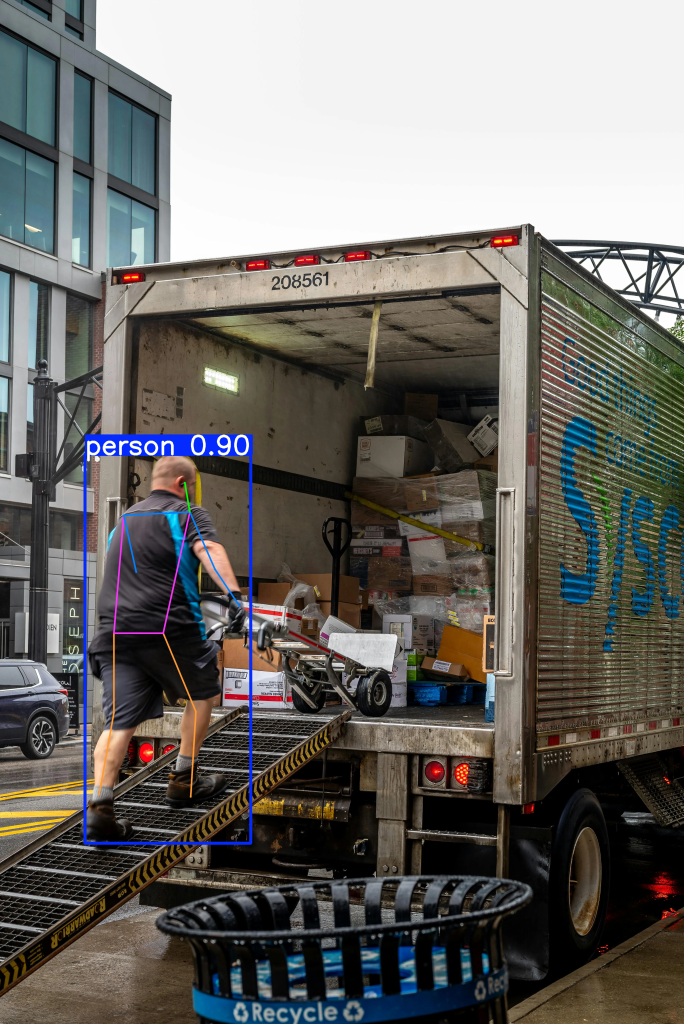
To detect falls or improper postures, YOLO offers a magical capability: it can detect a person's "skeleton" to better understand if they are in an abnormal position. This is commonly called pose estimation and generates significant interest regarding injuries and sick leave. We've attached a photo, but as before, you can try it yourself at thislink.
That covers postures. Actions can be more complex and almost deserve their own special article. There are simple situations, like detecting someone smoking, which we can identify by the cigarette or smoke. However, other situations require us to track and classify every moment of the people we are monitoring. This requires different technology and can get a bit complicated. My little pro-tip: if the action has a recognizable moment—whether it's leaving an object behind or a specific posture—detect that, and it will be identified. If you need to analyze the entire video sequence, my best advice is to tryGemini 2.5
Continuous improvement
During testing, you may have encountered detection errors. This is normal. General-purpose models aren't trained for these specific situations, but that's where their true potential lies: they can be trained to specialize, turning them into experts with human-like precision.
One of the most widely used for this, because training it is simple and fast, isYOLO(also free, yeah). It's so popular that you can find it pre-configured with knowledge for these kinds of applications, as with Safe, which has processed tens of thousands of images to recognize a vast array of situations and equipment, allowing you to enjoy maximum precision and reliability without wasting time. But you can also teach them from scratch. In a future article, we'll explain how to do it—it's simple, and I'd even say it's fun (at least for the first few hours).
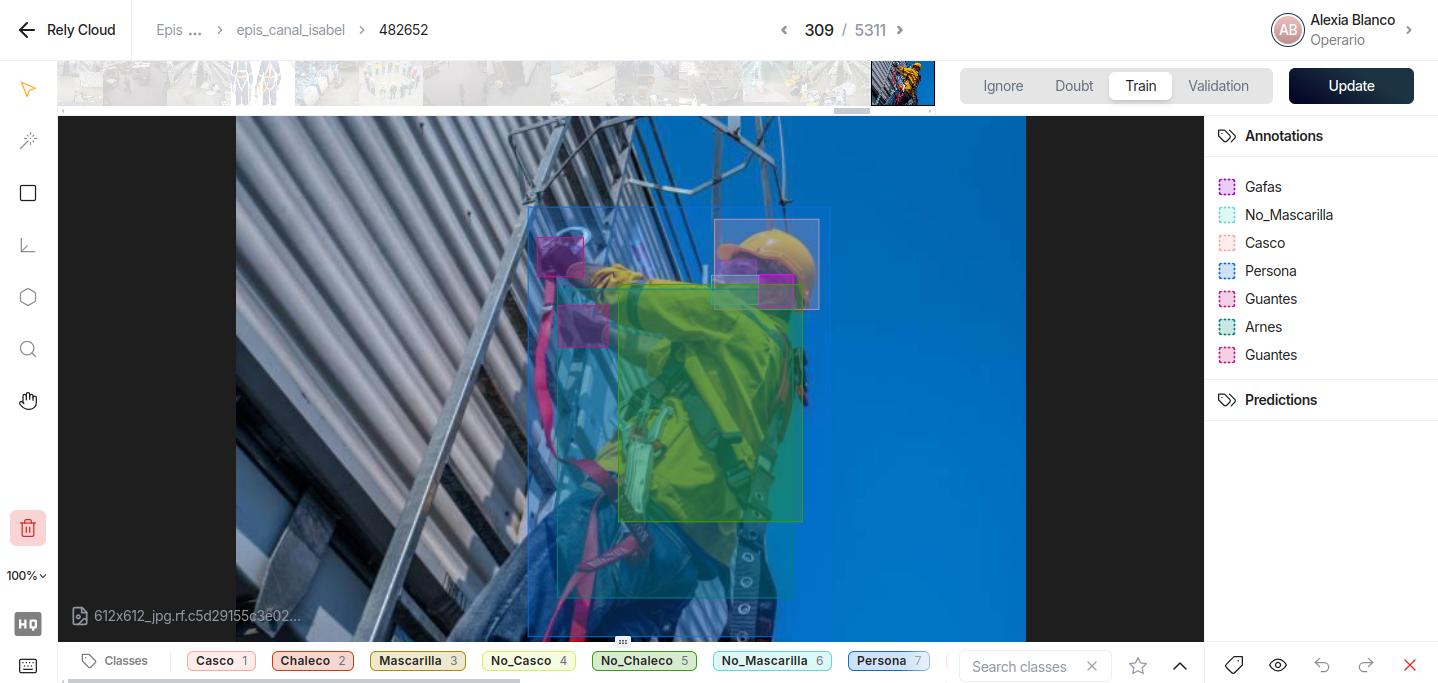
And important note: perhaps you noticed that Moondream took several seconds to give you the results of your query. But, as the article is titled: How to identify risks in real time with computer vision. Get ready: YOLO detects image objects in about 50 milliseconds. This allows processing about 30 frames per second, which is common in most video surveillance cameras. What a Formula 1!
Next steps
Technology for camera monitoring? Checked. Applying this system to review rules that improve our environment's safety? Checked as well. Activating an alarm when a detected incident occurs? Generating a report with the results for training purposes? Charts showing personnel improvement trends? We've seen how to solve a key part—what is happening in the image—and now it's time to reap the benefits by deciding what to do with that data based on its severity or filtering for the most relevant information. We could even use AI to blur faces in the image, complying with GDPR regulations. So, we encourage you to keep learning about this technology because the possibilities are exciting😀