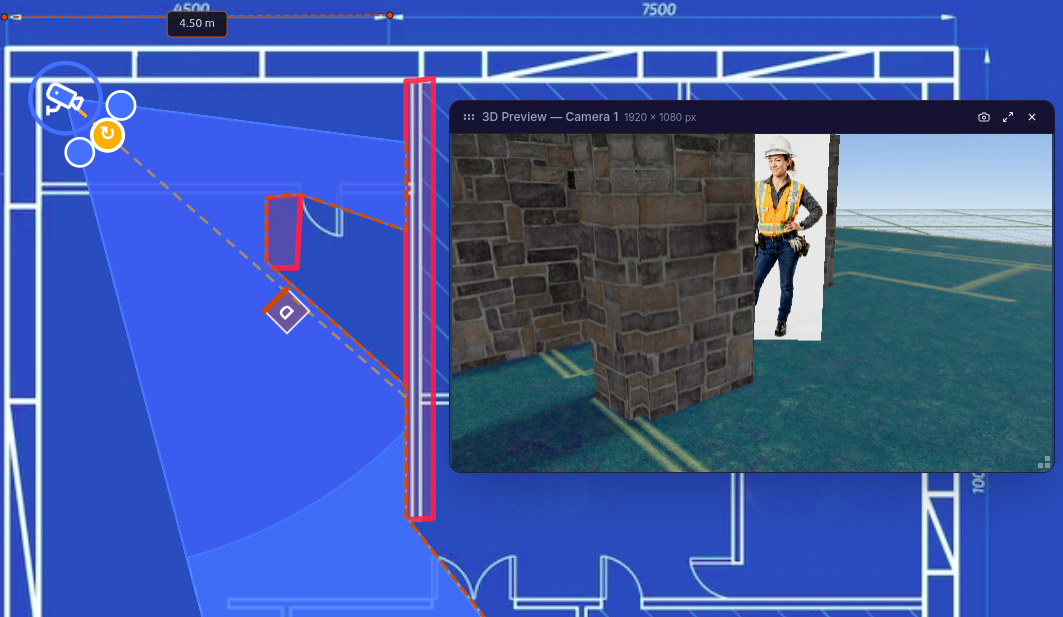
3D planes and FOV with blind spots
Load the floor plan (PNG/JPG), erect walls or shelves and see the covered areas in 3D.
SAFE SITE DESIGNER
Simulate FOV, DORI and blind spots on your floor plan. Check if the AI will see PPE, drops or risk areas before installing or readjusting cameras. No software to download.


€0
to audit coverage and DORI before purchasing cameras
DORI
identification, recognition, observation and live detection
100%
in browser, without installation on desktop
DEMO COVERAGE
Same physics as Safe Site Designer. Adjust sensor, focal, height and inclination and check how far it goes in identification, recognition, observation and detection.
COMPARATIVA
Montar cámaras sin simular cuesta visitas, reclamaciones y puntos ciegos. Simular primero te da mapa y confianza antes de comprar o reajustar.
Setting up cameras without simulating costs visits, complaints and blind spots. Simulating first gives you map and confidence before purchasing or refitting.
CAPACIDADES
Designed for PRL, CCTV and IT integrators with the same visual rhythm as the Rely Sightline landing.
Load the floor plan (PNG/JPG), erect walls or shelves and see the covered areas in 3D.
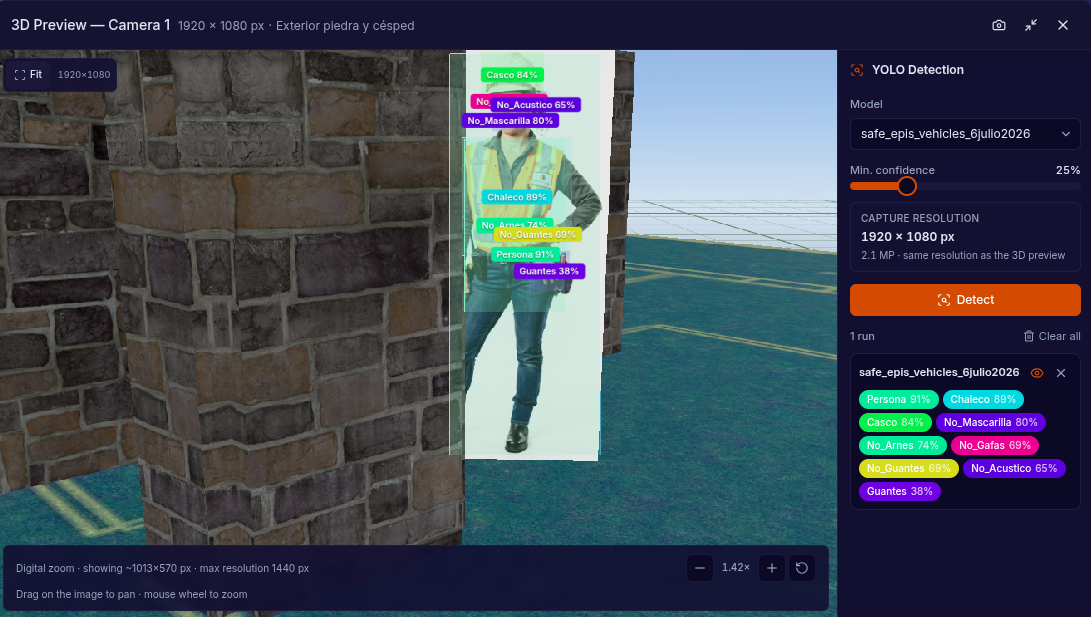
Place an operator and check if the AI will detect PPE, falls or unauthorized access.
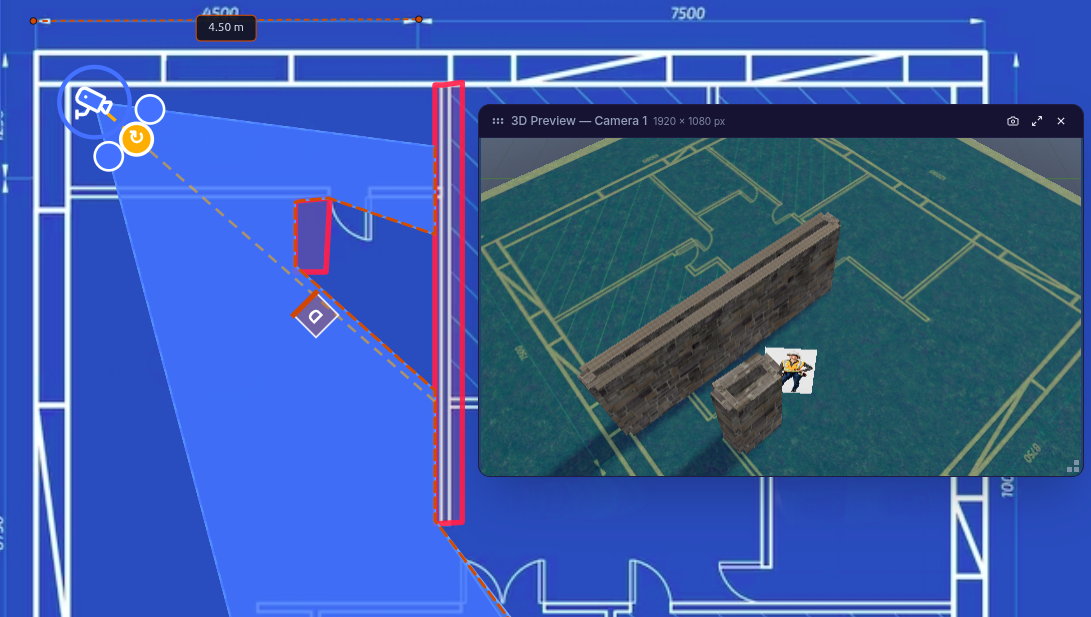
Notice if the camera is too high or steep and the image is not suitable for PRL.
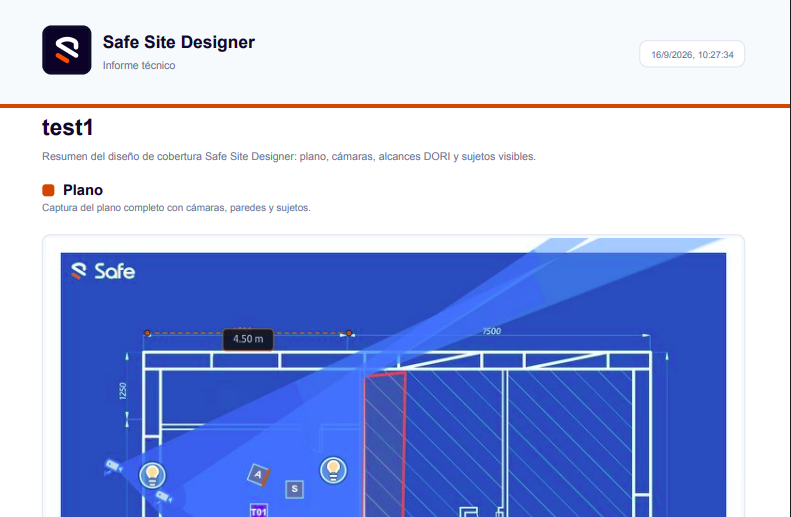
Export vision map, camera list and precision for Management or clients.
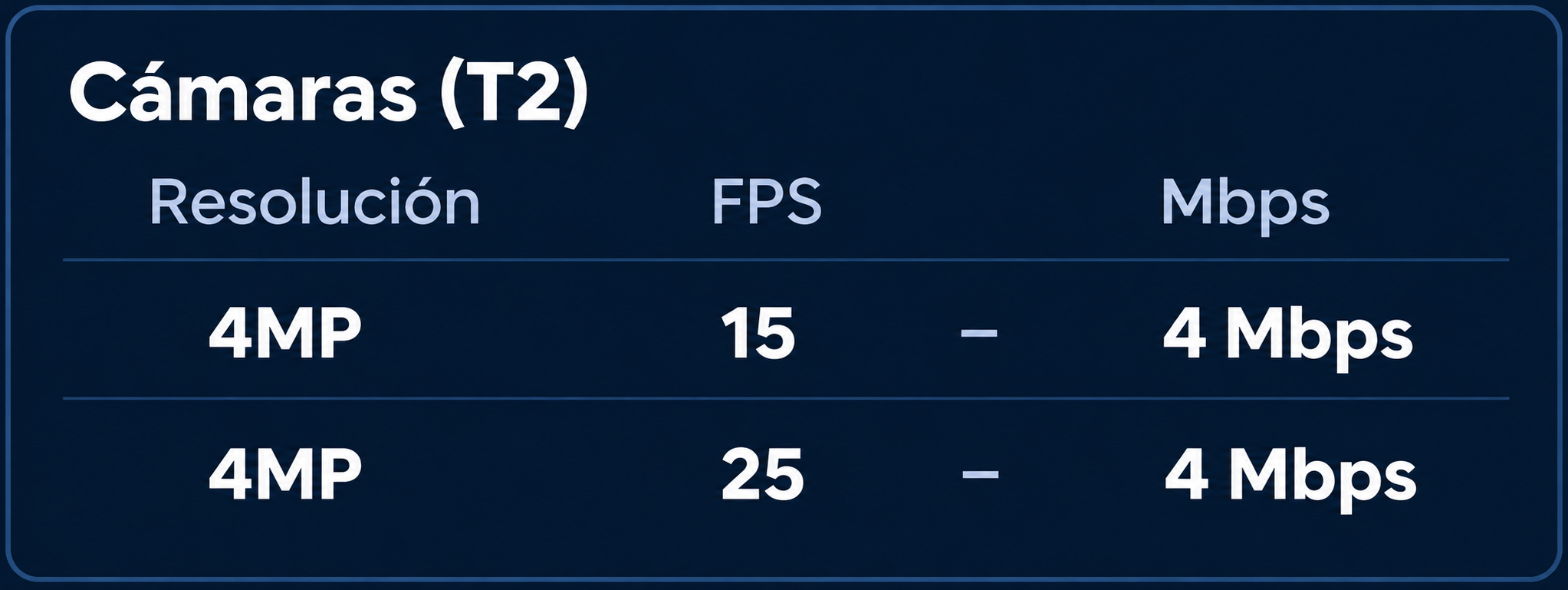
Estimate network and server impact before approving the purchase.
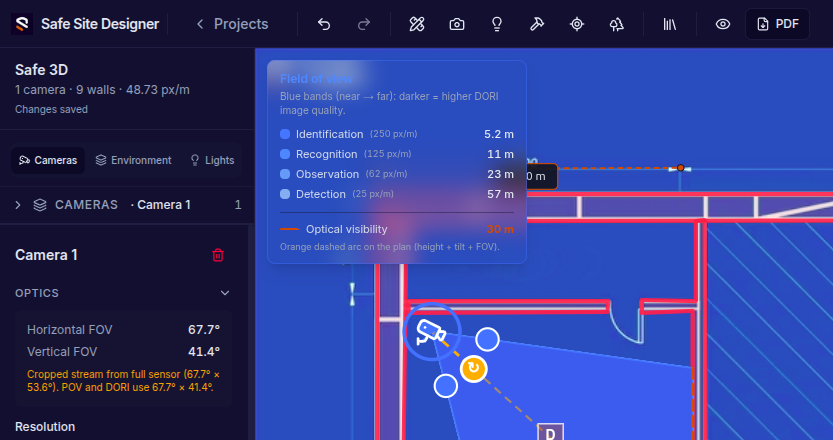
Share the 3D design for PRL, technicians or clients to review the live view.
Audit existing cameras or design new points before requesting a quote or going to the plant.
Upload your plant layout (PNG/JPG) and adjust the actual scale.
Place the ones you already have or add new points with height and inclination.
FOV, DORI and blind spots. Correct before purchasing or refitting.
PDF memory or map connection with the Safe platform.
FOR WHOM
Three profiles, the same objective: certainty before buying or readjusting.
QUICK GUIDE
Four bands to know what image (and detection) quality you achieve at each distance.
Maximum pixel density. Ideal for clearly recognizing a person or a critical detail.
Enough to distinguish who or what it is. Common basis for many plant AI rules.
You see activity and context. Useful for large areas where relative detail still matters.
You know there is presence. The furthest reach of the cone, the limit of “there is someone there.”
Niveles DORI
Visualiza tus distancias de detección, observación, reconocimiento e identificación según tus tipos de entorno.
QUICK GUIDE
Four bands to know what image (and detection) quality you achieve at each distance.

Maximum pixel density. Ideal for clearly recognizing a person or a critical detail.

Enough to distinguish who or what it is. Common basis for many plant AI rules.

You see activity and context. Useful for large areas where relative detail still matters.
You know there is presence. The furthest reach of the cone, the limit of “there is someone there.”
QUICK GUIDE
Four bands to know what image (and detection) quality you achieve at each distance.
Maximum pixel density. Ideal for clearly recognizing a person or a critical detail.
Enough to distinguish who or what it is. Common basis for many plant AI rules.
You see activity and context. Useful for large areas where relative detail still matters.
You know there is presence. The furthest reach of the cone, the limit of “there is someone there.”
QUICK GUIDE
Four bands to know what image (and detection) quality you achieve at each distance.
Maximum pixel density. Ideal for clearly recognizing a person or a critical detail.
Enough to distinguish who or what it is. Common basis for many plant AI rules.
You see activity and context. Useful for large areas where relative detail still matters.
You know there is presence. The furthest reach of the cone, the limit of “there is someone there.”
Audita o simula coberturas CCTV con el nuevo DORI e IA de manera gratuita en el navegador.
aparecemos en



Yes. You can design plans, simulate coverage and AI, and export reports at no cost. No card, no time limit and no software to download.
DORI (Detect, Observe, Recognize, Identify) is the EN 62676-4 standard for the distance at which the human eye can identify an object. SAFE goes further: in addition to FOV, it simulates whether AI algorithms will detect risks and PPE at that distance.
Yes. You can lift 3D objects on your plane. The simulator calculates the occluded areas where the camera loses vision.
Yes. In Audit mode you enter height, angle and characteristics of your current cameras to see which areas are already prepared for AI.
Many classic tools require Windows installation and are designed for human vision. SAFE is 100% online and evaluates the vision of Artificial Intelligence.
Your plans are processed privately in your session. They are not shared with third parties or used to train public models.
No. The simulator is used independently. If you later activate real-time alerts, you can connect the map with SAFE.
PPE (helmets, vests), pedestrians in forklift lanes, falls, risk areas and intrusions in restricted areas.